🤔 What is Riverside.fm?
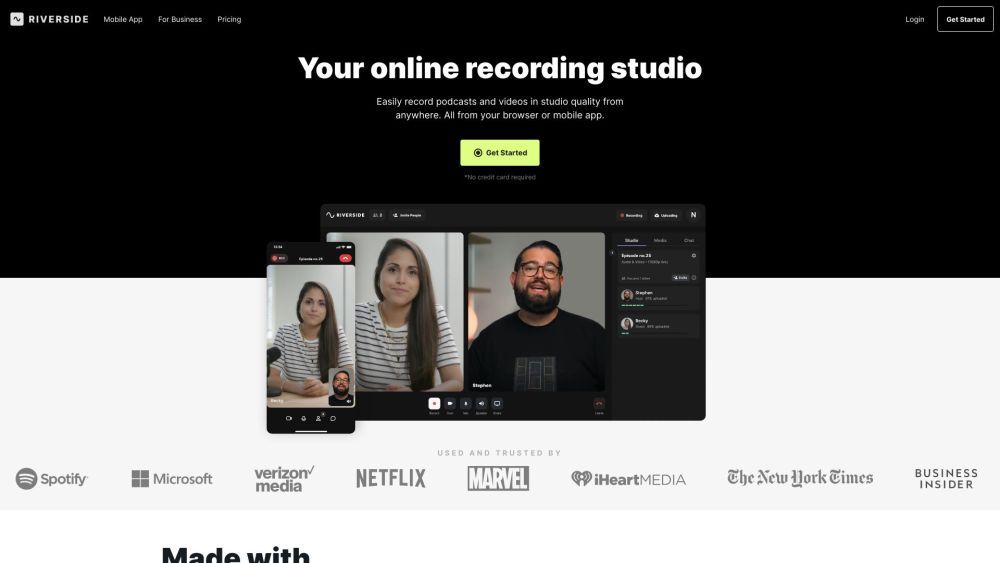
Riverside.fm is a virtual studio that enables podcasters and media companies to record high-quality podcasts and videos remotely. It offers studio-quality audio and 4k video recording capabilities, allowing users to create professional content from anywhere.
📝 How to use Riverside.fm?
To use Riverside.fm, follow these steps:
- Sign up for an account on the Riverside.fm website.
- Choose the type of content you want to create, such as podcasts, video interviews, webinars, etc.
- Set up your recording environment using Riverside.fm's mobile app or web-based studio.
- Invite guests to join your recording session remotely.
- Record your content in studio quality, with separate audio and video tracks for each participant.
- Use Riverside.fm's AI-powered transcription to transcribe your recordings in seconds.
- Edit, clip, and customize your content using the text-based editor.
- Export and share your recordings and clips across various platforms and social media channels.
⭐ Riverside.fm's Core Features
✨ Studio-quality audio and 4k video recording
✨ Separate audio and video tracks for each participant
✨ AI-powered transcription in over 100 languages
✨ Text-based editing with quick search functionality
✨ Creation of short-form social media clips
🎯 Riverside.fm's Use Cases
🔸 Podcasts
🔸 Video interviews
🔸 Social media clips
🔸 Webinars
🔸 Video marketing
🔸 Panel discussions
🔸 Talking head presentations
❓ FAQ from Riverside.fm
Can I record podcasts and videos remotely? Yes, Riverside.fm allows you to record podcasts and videos remotely, enabling you to collaborate with guests or team members from anywhere in studio quality.
Can I edit and customize my recordings? Yes, Riverside.fm provides a text-based editor that allows you to easily edit and customize your recordings. You can search the transcript, cut segments, and create social media clips.
Does Riverside.fm offer AI-powered transcription? Yes, Riverside.fm uses AI technology to transcribe your recordings accurately and quickly. It supports over 100 languages for transcription.
Can I export and share my recordings? Yes, once you have finished editing and customizing your recordings, you can export and share them across various platforms and social media channels.